SetPiece

Made with SetPiece

That play was built on a phone.

The move you just watched wasn't filmed and it wasn't drawn in a slide deck. A coach placed the runners on a real pitch, drew the lines, dropped the passes, and shared the link — all from a phone, probably on a touchline. SetPiece is the app that did it.

Free private beta. We'll email you when it opens.

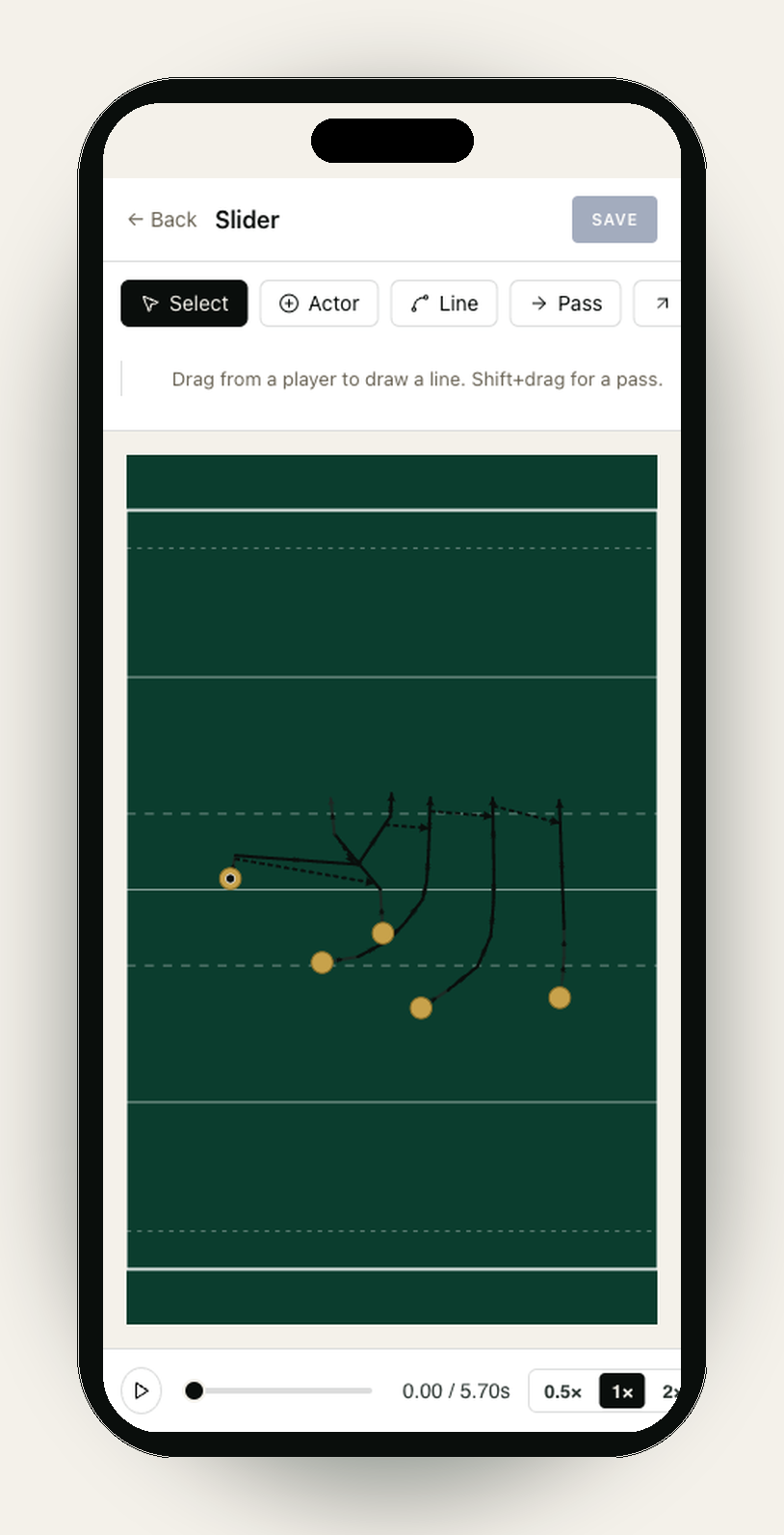
The SetPiece play canvas on an iPhone, showing a play called 'Slider'. Across the top: Back, the play title, and a Save button; a toolbar offers Select (active), Actor, Line, Pass, with the helper text 'Drag from a player to draw a line. Shift+drag for a pass.' The green rugby pitch fills the body, with five gold actor dots in a backs alignment — one ringed to mark the lead receiver — and black running and pass lines arcing out from them. A timeline strip at the bottom carries a play button, a 0.00 / 5.70s scrubber, and speed toggles.

See one running

This is a live play, not a screenshot.

It loops straight from the coach's playbook. Edit the play in the app and every shared link updates with it.

A real play, live from SetPiece — not a video.

What you just saw

Draw it once. Share it anywhere.

Three things carried that play from a coach's head to your screen — and none of them needed a laptop, a login, or an app store.

An animated playbook, not a whiteboard

Plays in SetPiece are geometry, not sketches. Runners follow real lines at real pace, passes snap to the run, and the animation plays the move the way it should look on grass. If the timing doesn't work, the editor tells the coach before the squad ever sees it.

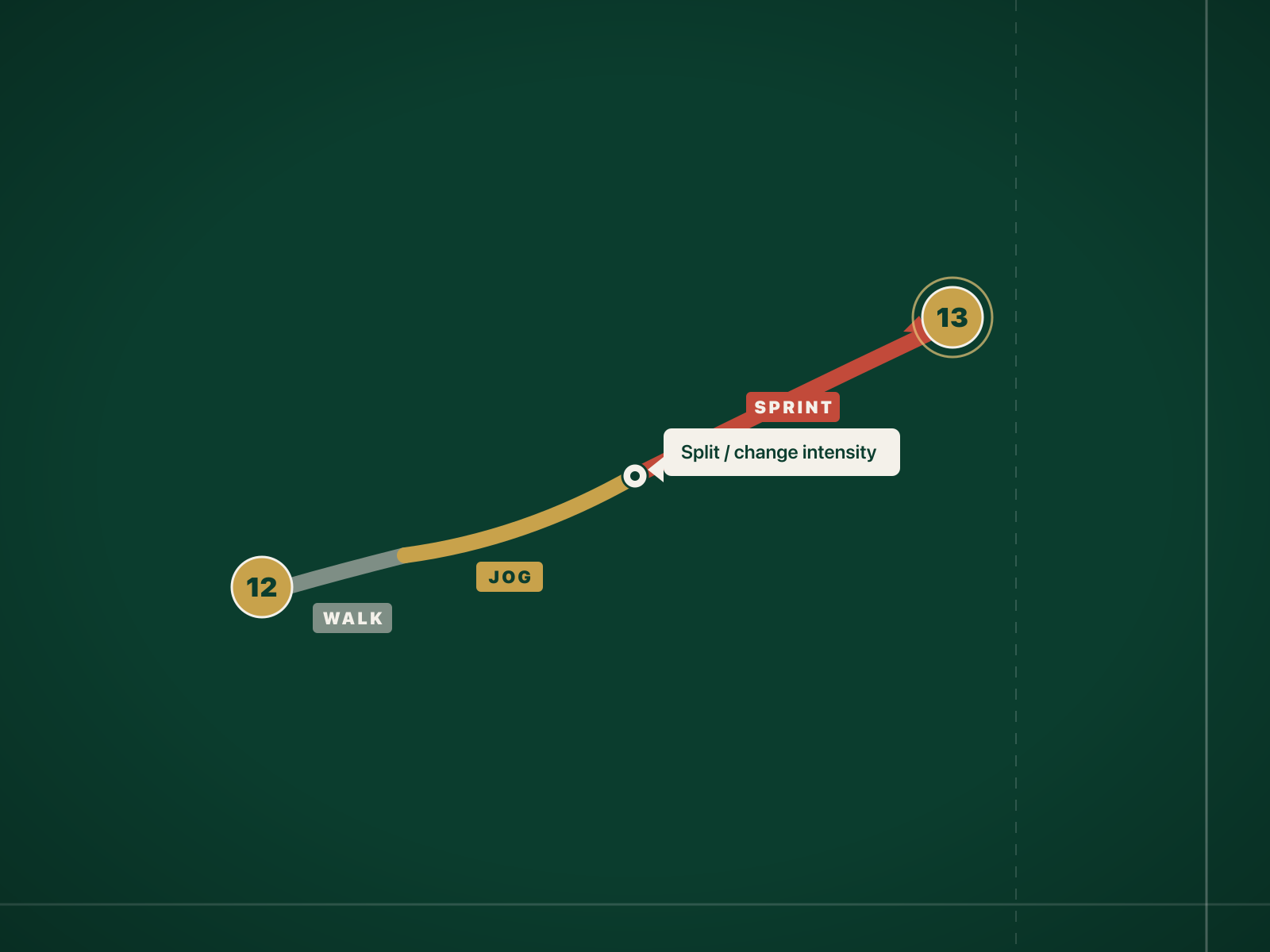
  • Per-segment pace on every running line — walk, jog, sprint.
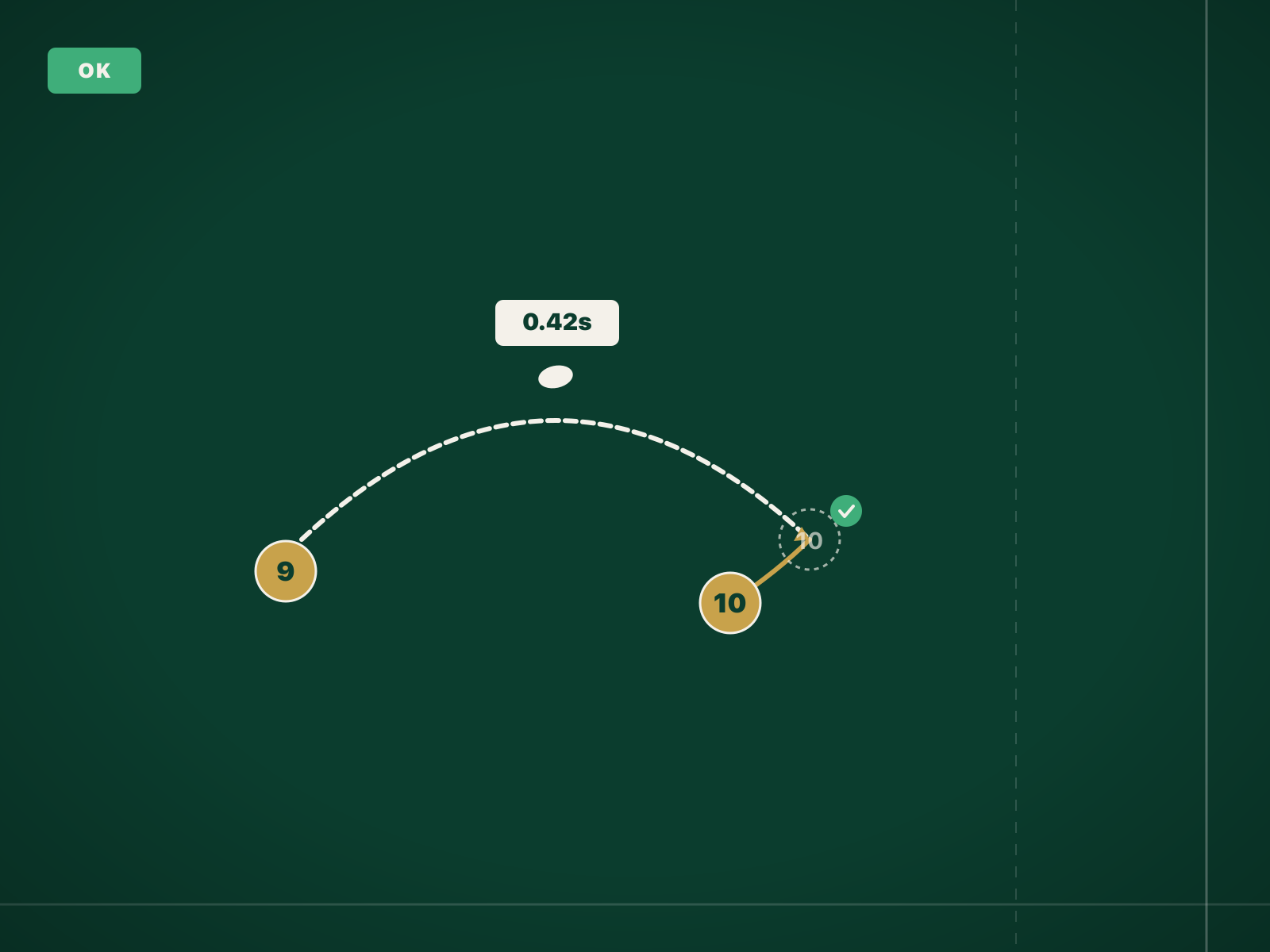
  • Passes and kicks that land where the receiver will actually be.
  • Attach any play to a drill and it plays inline at training.
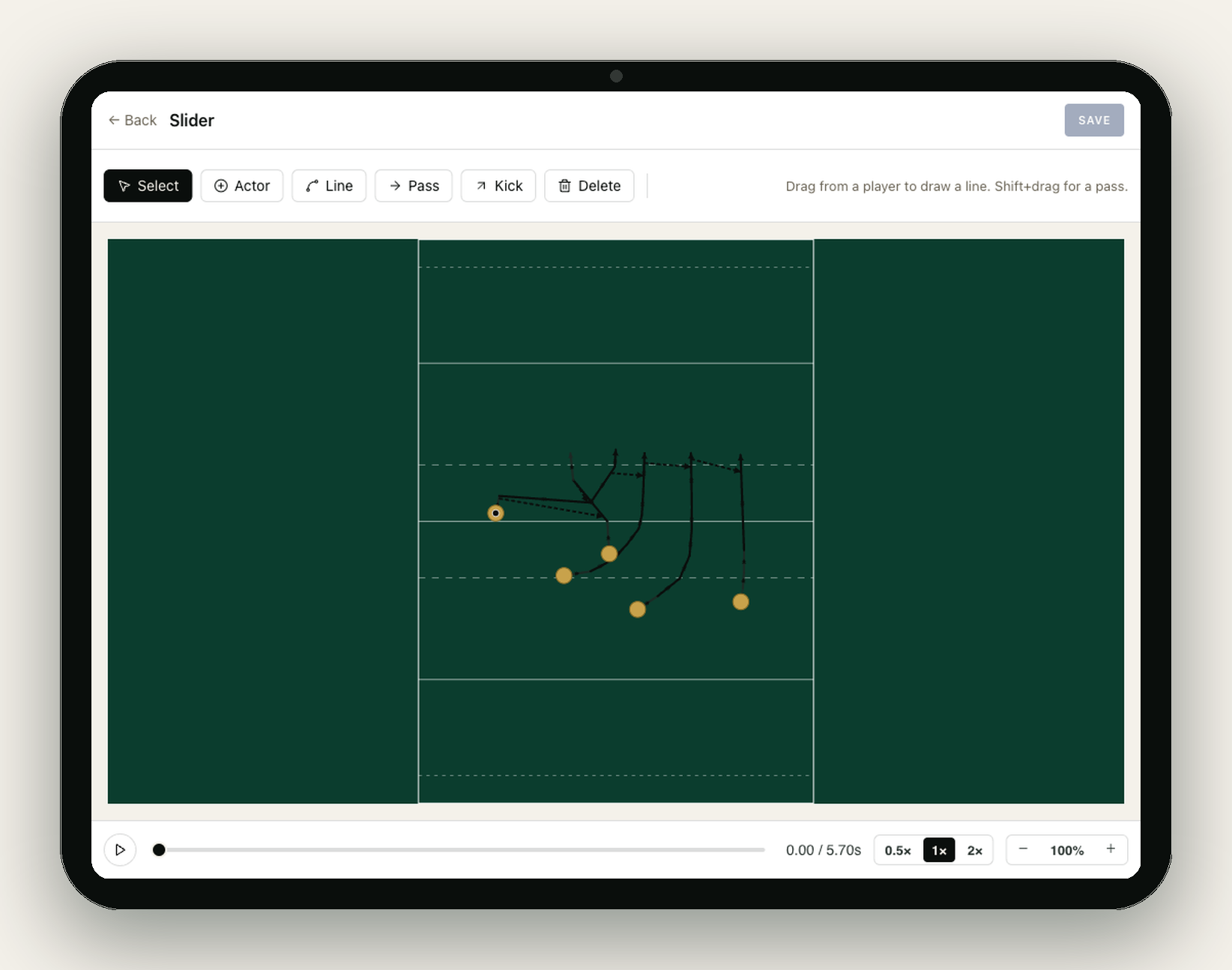
The SetPiece play canvas on a tablet — the editor a coach uses to assemble a play before sending it to a drill. Header reads 'Slider' with Back and Save controls; a toolbar offers Select, Actor, Line, Pass, Kick and Delete. The pitch fills the workspace, with five gold actor dots in a backs alignment and black running and pass lines drawn between them. A timeline strip at the bottom carries the play button, a 0.00 / 5.70s scrubber, speed toggles (0.5×, 1×, 2×) and a zoom control.

Share links that stay live

Any play shares as a public link with a looping animated diagram — the one that brought you here. Send it to the group chat on Thursday, and when the coach tweaks the depth on Friday, the link shows the new version. Change your mind and the link revokes in one tap.

  • No account or app needed to watch — it's a web page.
  • Revocable: pull a link and it goes dark everywhere at once.
  • The diagram loops, so nobody scrubs a video to find the start.
Detail of a pass arc on the pitch. The arc curves from the 9 position to the 10 position, with a label '0.42s' floating above the apex. Below the receiver, a small ghost outline shows where the receiver will be when the ball arrives, with a checkmark indicating the catch point is reachable. A validation chip in the corner reads 'OK'.

Video export when a link won't do

Some places want a file — a club social account, an analysis folder, a coach who prints everything. Any play exports as an MP4 of the same animation, straight from the phone. Same move, no screen recording, no watermark of somebody else's app.

  • One tap from the play — export, then share the file anywhere.
  • Links for the squad, video for everything else.
Close-up of a single running line on the pitch. The line starts at the 12 position and curves toward the 13-channel. Three colour bands segment the line: a short grey band labelled 'walk', a medium amber band labelled 'jog', and a long red band labelled 'sprint'. A drag handle is visible at the boundary between the amber and red segments, with a small tooltip reading 'Split / change intensity'.

Build your own before Saturday.

Drop your email — we'll let you know the moment the beta opens.