Rugby team availability
Retire the Sunday-night WhatsApp paste.
You know the message. Training Tuesday and Thursday, match
Saturday, thumbs up if you're in — typed out every Sunday night,
answered by half the squad, buried by Wednesday. SetPiece
replaces it with one tap: every player gets a personal page for
the week, and their answers come back to you, collected and
named.
Free to start. No card needed.
How it works
One tap out. Every answer back.
The weekly message is really three jobs: tell everyone what's on,
tell each player where they stand, and find out who's coming.
SetPiece does all three with one link per player.
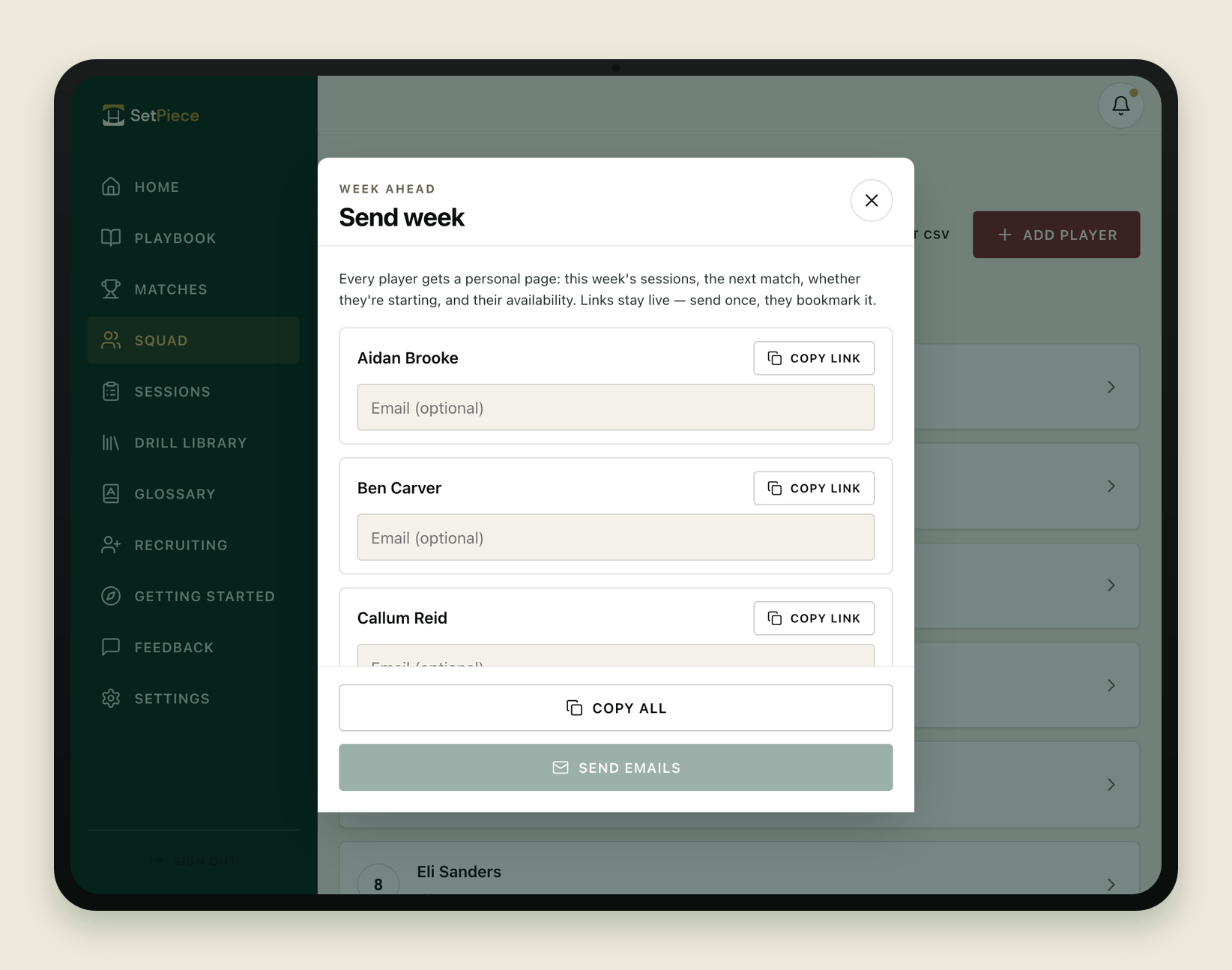
Week-ahead links, one per player
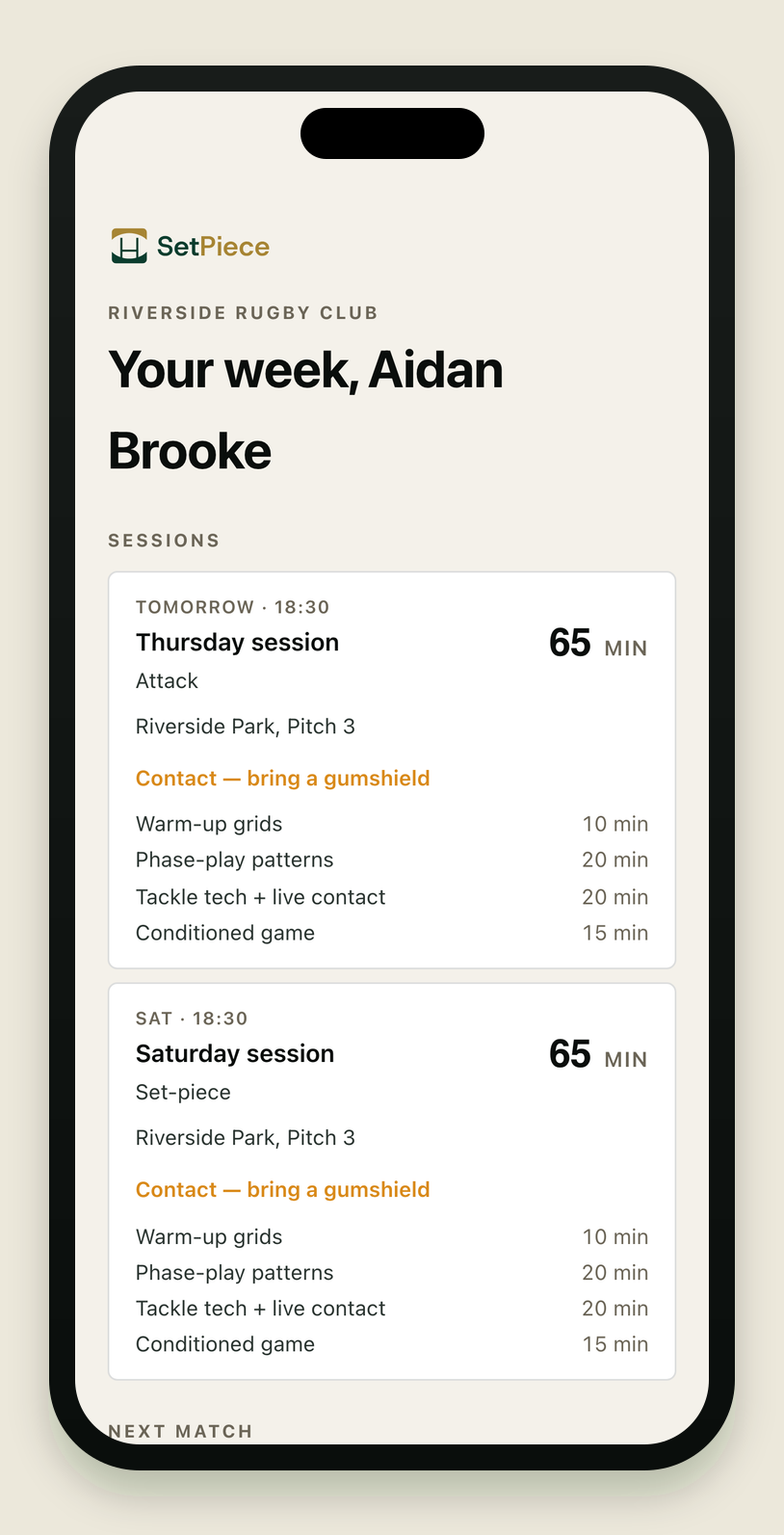
One tap sends every player a personal page for the week —
built from the sessions you already planned and the fixture
already in the diary. Each page shows this week's training
with drills, pitch and contact hints, so 'bring a gumshield
Thursday' stops being a separate message. Players never need
accounts or apps; the link just opens.
- Email the whole squad their pages, or copy every link for the team chat in one tap.
- Sessions show drills, pitch and contact hints for the week.
- No player accounts, no app installs, no adoption tax.
Selection status, known by Friday
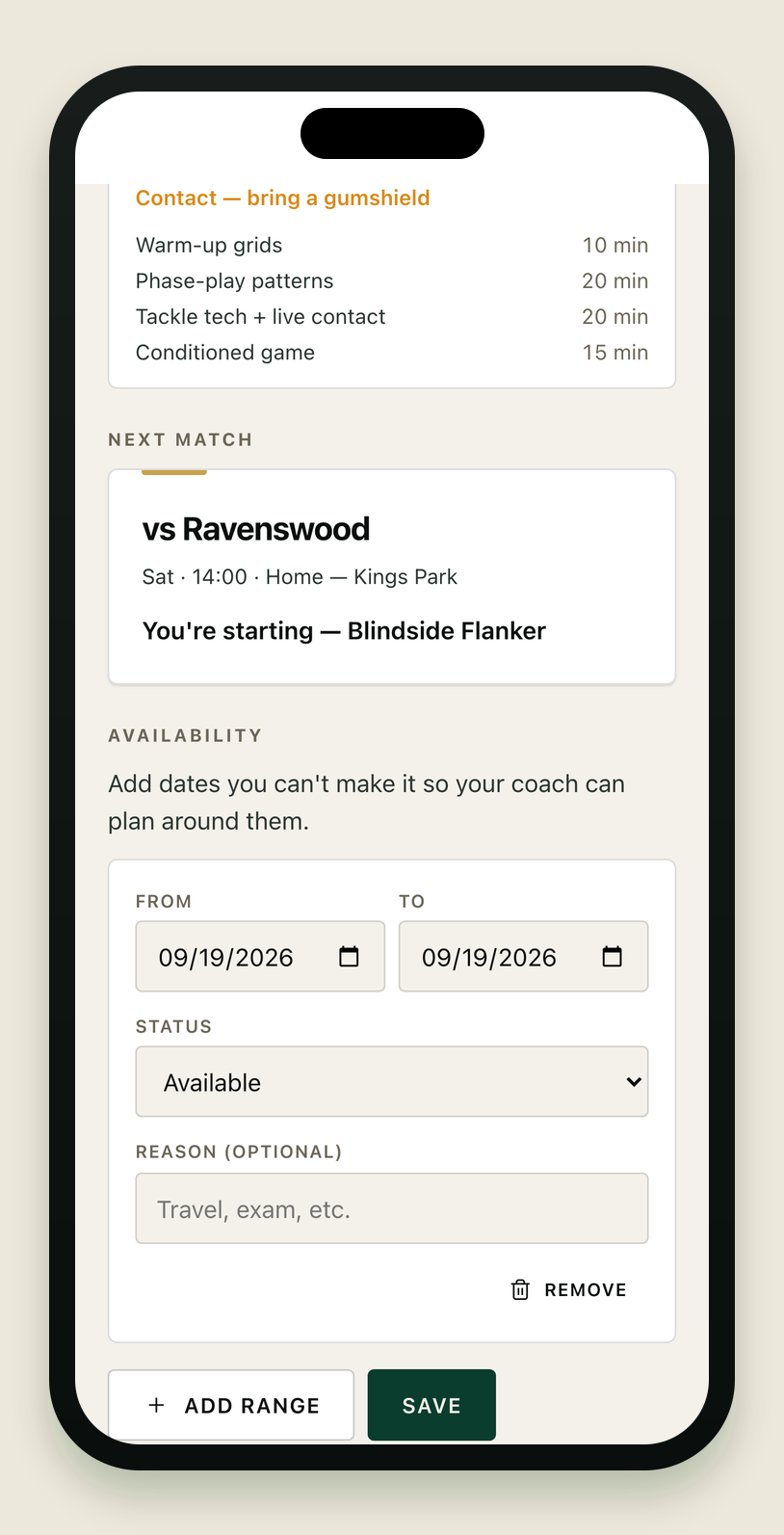
Each player's page shows the next match with their
status — starting, on the bench, or resting this week. No
screenshot of a team-sheet doing the rounds, no 'am I
playing?' texts on Friday night. Pick the side in the lineup
builder and every player's page already knows.
- Personal selection status on every player's page.
- Flows straight from the committed lineup — nothing extra to publish.
- Players see their own status, not the whole selection debate.
Answers land in your feed, not a group chat
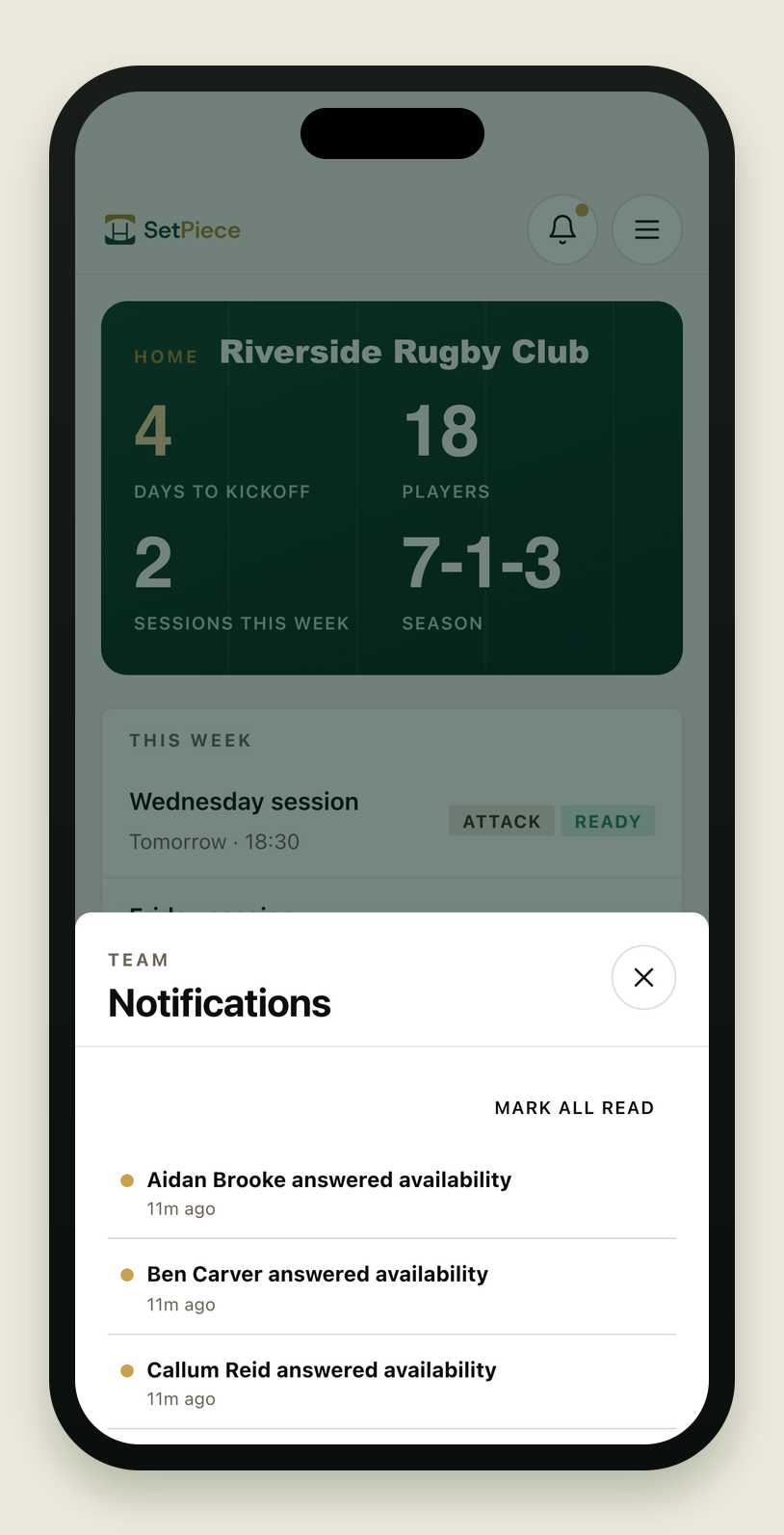
Players set availability right on their page — the dates
they can't make, with a reason if they want — and the
answer lands in your in-app notification feed, with
optional phone push. By Thursday you're reading a list, not
scrolling a chat counting thumbs. And it sits next to the
lineup picker that actually
uses it.
- Availability self-set by the player, right on their page.
- Answers collect in your notification feed; push if you want it.
- Feeds selection directly — availability isn't a separate spreadsheet.
Why week links, not a group chat
The group chat was never a system.
The Sunday-night paste
- Typed from scratch every week.
- Answered by half the squad, buried by Wednesday.
- Selection questions all Friday night.
Google Form
- Somebody has to build and re-send it weekly.
- Answers live in a sheet, selection lives elsewhere.
- Says nothing back to the player.
Generic team app
- Every player has to install and sign in — half never do.
- The half who don't are the half you needed answers from.
- Availability doesn't feed a rugby lineup.
SetPiece
- One tap sends every player a personal week page.
- No player accounts — the link just opens.
- Selection status included, per player.
- Answers land in your feed and feed the lineup.
Common questions
Rugby team availability FAQ
- Do players need an account or an app?
- No. Every player gets a personal page by link — it opens in the browser. One tap sets their availability. No sign-in, no app store.
- What does a player see on their page?
- This week's sessions with drills, pitch and contact hints; the next match with their own selection status; and a one-tap availability answer.
- Where do the answers go?
- Into your in-app notification feed, with optional phone push — collected and named, next to the lineup picker that uses them.
- How much work is it each week?
- One tap. The pages are built from the sessions you already planned in the planner and the lineup you already picked. Nothing to write, paste, or format.
- Are week-ahead player links free?
- Yes. Week-ahead links and availability tracking are free, forever — like squad management and recruiting. The paid season kit covers the planner, drill library, unlimited playbook plays and match-day lineups.
Send this week in one tap.
Squad management, recruiting and your first three plays are free, forever. The season kit starts with a 30-day free trial — no card needed.