Rugby playbook software
A pitch, not a whiteboard. Plays that actually run.
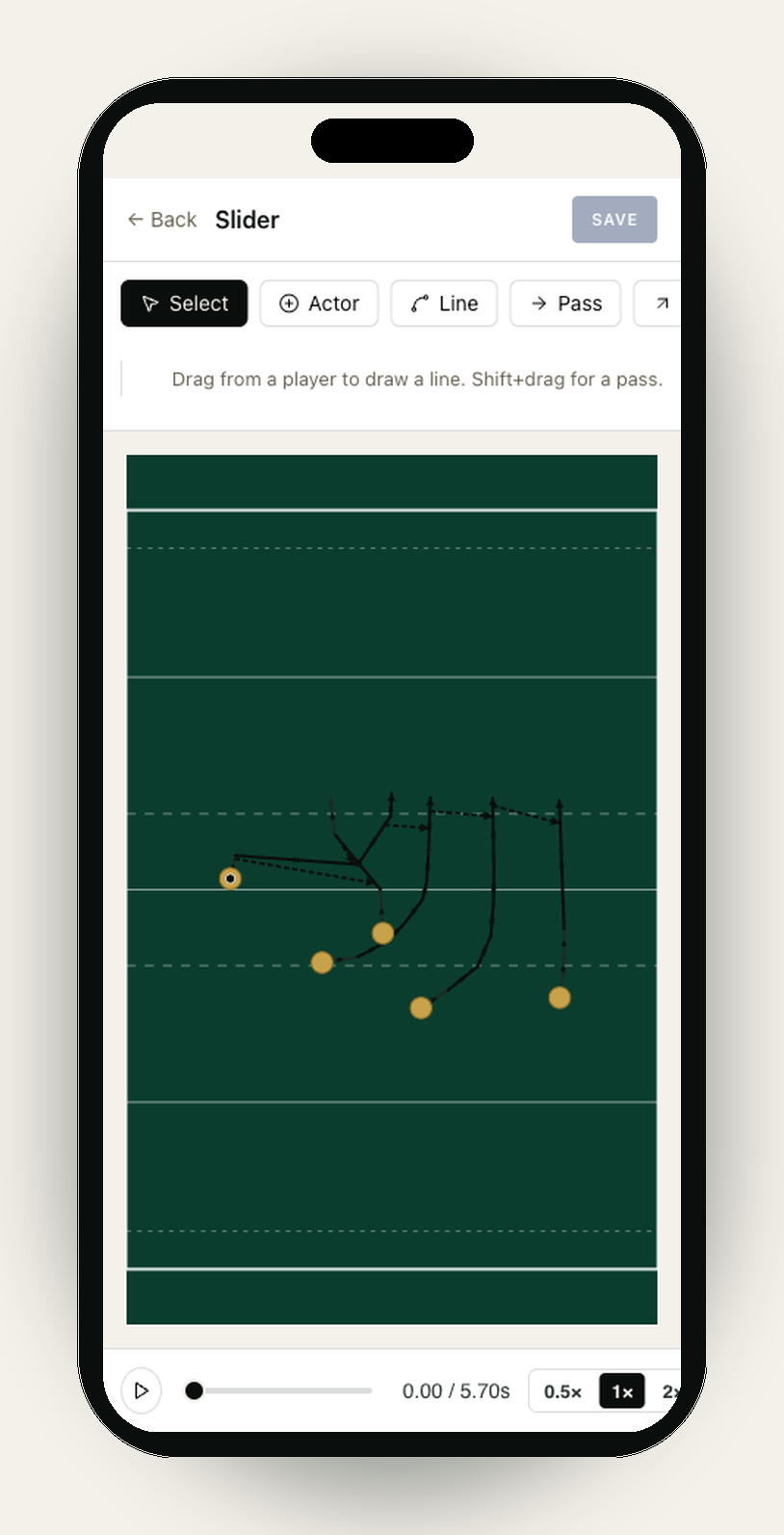
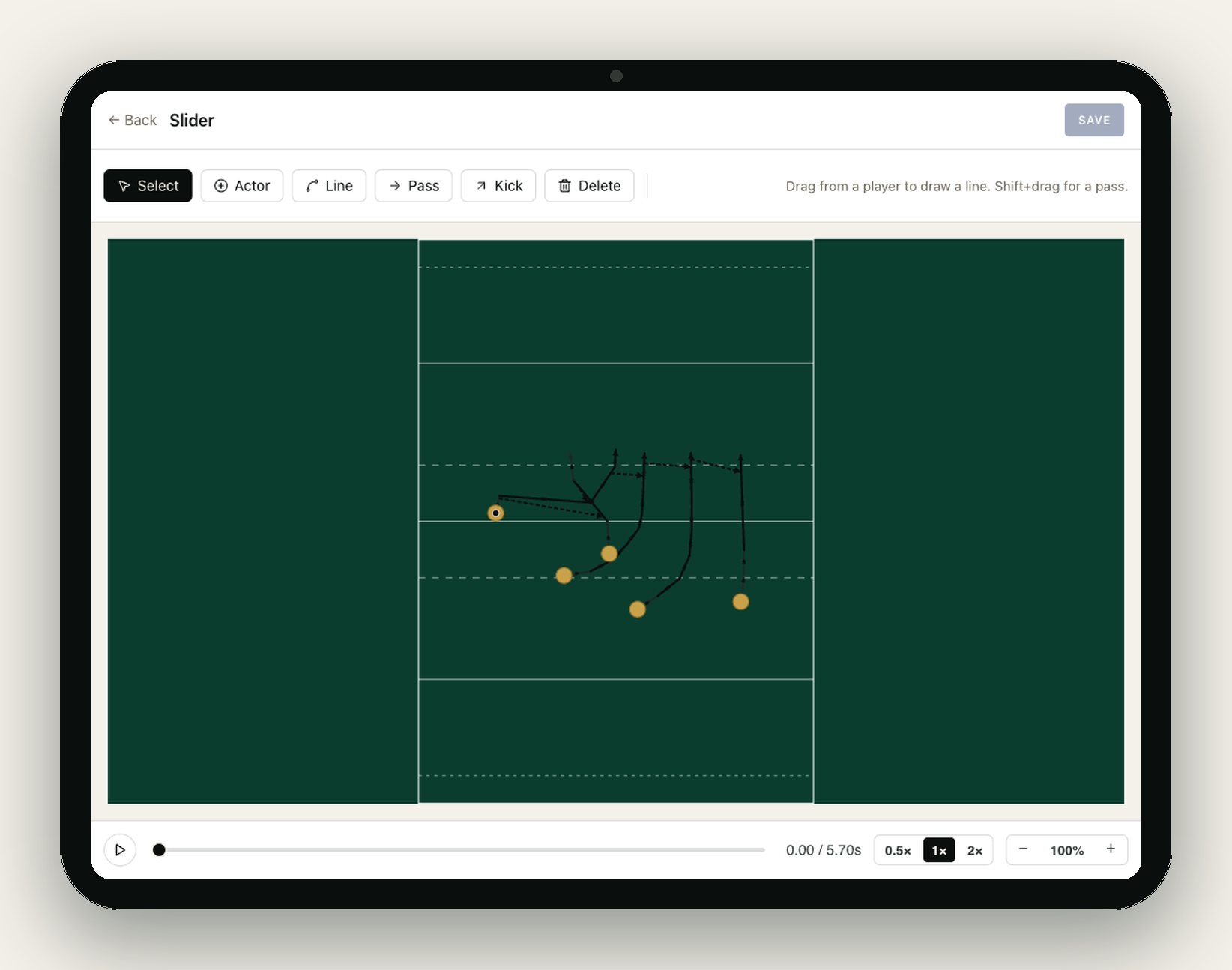
SetPiece's rugby playbook software is geometry-first. Actors
snap to lines, passes draw as arcs with a real flight time,
and the app tells you if the move you've drawn is physically
possible — before training, not after. Save a play once.
Attach it to a drill. Animate it on the touchline.
Free to start. No card needed.
How it works
Plays are geometry, not arrows on a board.
Most playbook tools are just drawing apps with a pitch
background. SetPiece treats a play as data: who is where, who
runs which line at which intensity, when the pass lands. That
changes what you can do with it.
Per-segment line intensity
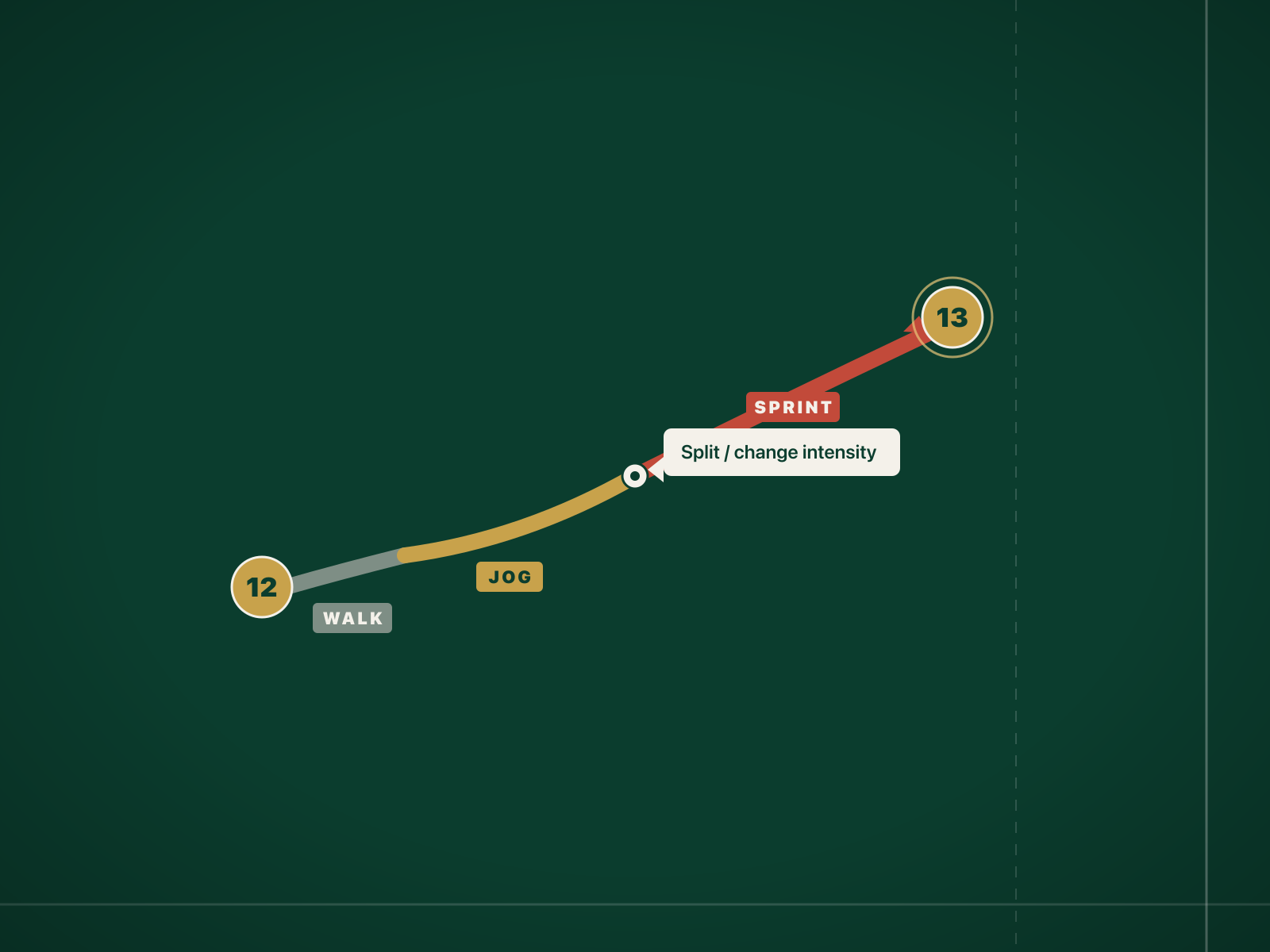
Real rugby runs don't happen at one speed. A decoy walks,
then jogs, then sprints onto the ball. SetPiece lets you
paint each segment of a running line with its own
intensity, so the animation honours the change — and so
the player watching it can see when the gas is supposed
to go on.
- Three intensities per segment: walk, jog, sprint.
- Drag a handle on the line to split a segment, change intensity, move on.
- Animation playback matches the painted speeds — useful for showing a decoy line vs a hard runner.
Pass and kick arcs with flight-time validation
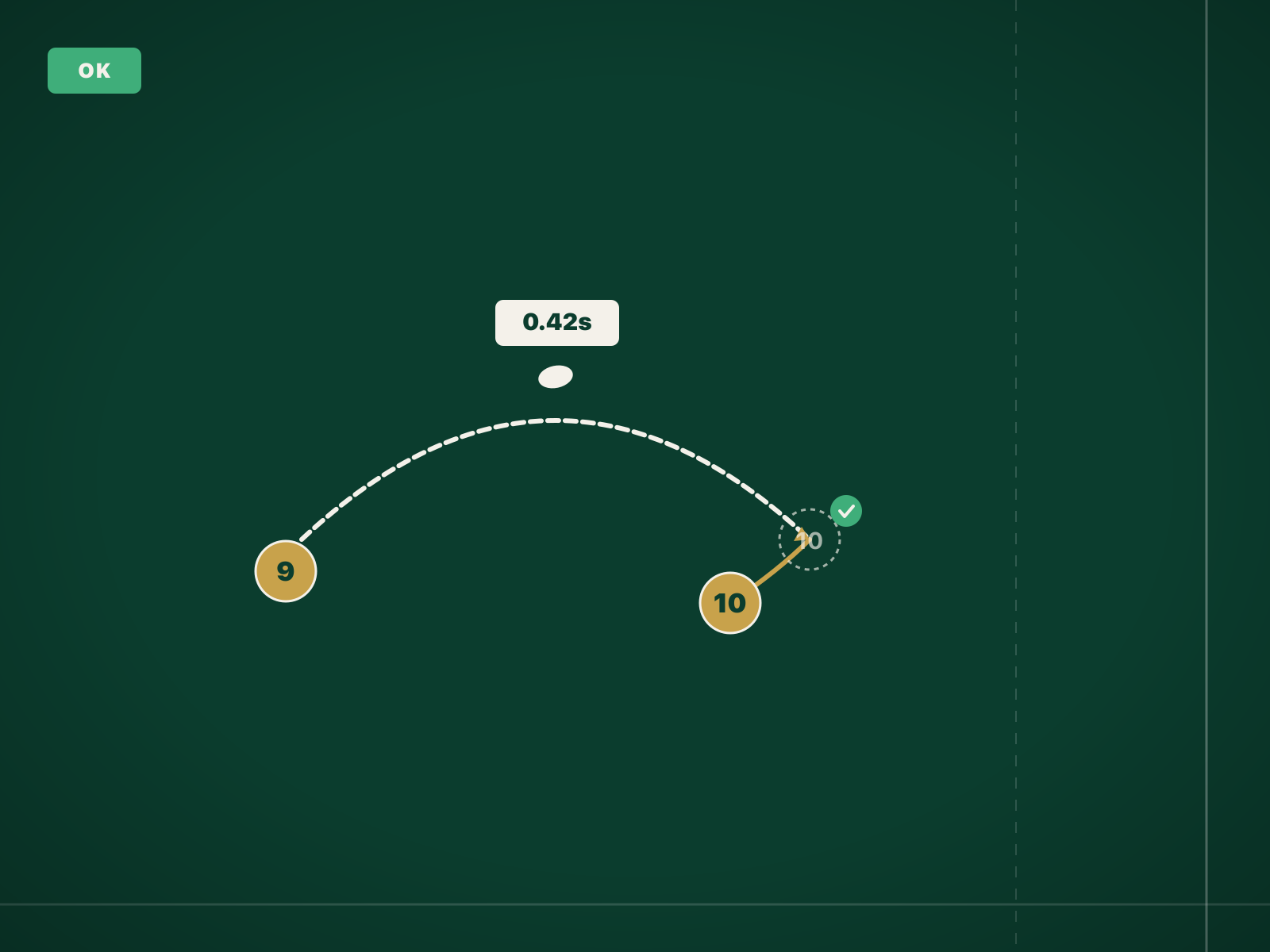
Draw a pass between two actors and SetPiece arcs the ball
between them with a calculated flight time based on
distance. Then it checks: will the receiver be at the
catch point when the ball arrives? If the pass overtakes
the receiver — or arrives after the runner has gone
through — the editor warns you. The catch-point problem,
caught at the table.
- Pass arcs labelled with flight time in seconds.
- Kick arcs use a higher arc and a longer flight; useful for exits, contestable kicks, cross-field plays.
- Validation chip on the play: OK, tight, impossible — so you know before training, not after.
Attach plays to drills. Run them on the touchline.
A play in a folder is just decoration. Attach the play to
a drill in your drill library, and the
animation plays inline when you start that drill in
Run mode. Show the team the
move on a phone, then run it five seconds later.
- One play, many drills — attach the same lineout call to a unit drill and an opposed shape drill.
- Looping playback during the drill so the next group sees it without you cueing up the video.
- Read-only share links for assistant coaches and the head of rugby.
Why geometry beats arrows
You don't coach arrows. You coach humans running lines.
Whiteboard before training
- No animation. The team has to imagine the timing.
- No record after training ends.
- No way to share with someone who missed it.
PowerPoint / Keynote diagrams
- Arrows, not lines. No notion of intensity.
- No flight-time check — every pass looks plausible.
- Doesn't live with the drill that uses it.
Generic play-design app
- Built for hockey or basketball — wrong pitch, wrong roles.
- No lineout or scrum primitives.
- No tie-in to a training session.
SetPiece
- Geometry-first: lines, intensity, pass arcs, flight times.
- Lineouts, scrum strikes, backs moves, defensive shapes — same primitives.
- Animations play inline in Run mode during training.
- Share a play with one tap.
Common questions
Rugby playbook software FAQ
- What is rugby playbook software?
- A tool for designing and storing rugby plays — backs moves, lineout calls, scrum strikes, defensive shapes — and replaying them as animations. SetPiece's playbook is geometry-first: actors snap to lines on a real pitch, passes arc with a calculated flight time, and per-segment intensity captures walk/jog/sprint changes.
- Does SetPiece animate the plays?
- Yes. Every play plays back as an animation. Attach a play to a drill in your drill library and the animation plays inline when you run that drill.
- Can I draw lineouts and scrum strikes?
- Yes. The pitch is blank — you place actors wherever the play needs them. Same primitives cover backs moves, lineouts, scrums and defensive shapes.
- How does flight-time validation work?
- The editor calculates where the receiver will be when a pass arrives, given the painted line intensity. If the pass overtakes the receiver or arrives after, you get a warning. The whiteboard-impossibility check, done at the table.
- Can I share a play with assistants or players?
- Yes. Read-only share links work without sign-in. Plays attached to drills run as animations in Run mode during the session.
- Is the playbook free?
- Your first 3 plays are free on every team — the full editor, animation and sharing included. Unlimited plays come with the paid season kit, alongside the session planner, drill library and match-day lineups.
Draw a play that actually runs.
Squad management, recruiting and your first three plays are free, forever. The season kit starts with a 30-day free trial — no card needed.